Operational dashboards
Combine live summary metrics, charts, and focused record lists into a useful starting view.
Work through screens
Give teams a clear, branded application with dashboards, lists, forms, detail views, and related records—generated from the model published by Builder.
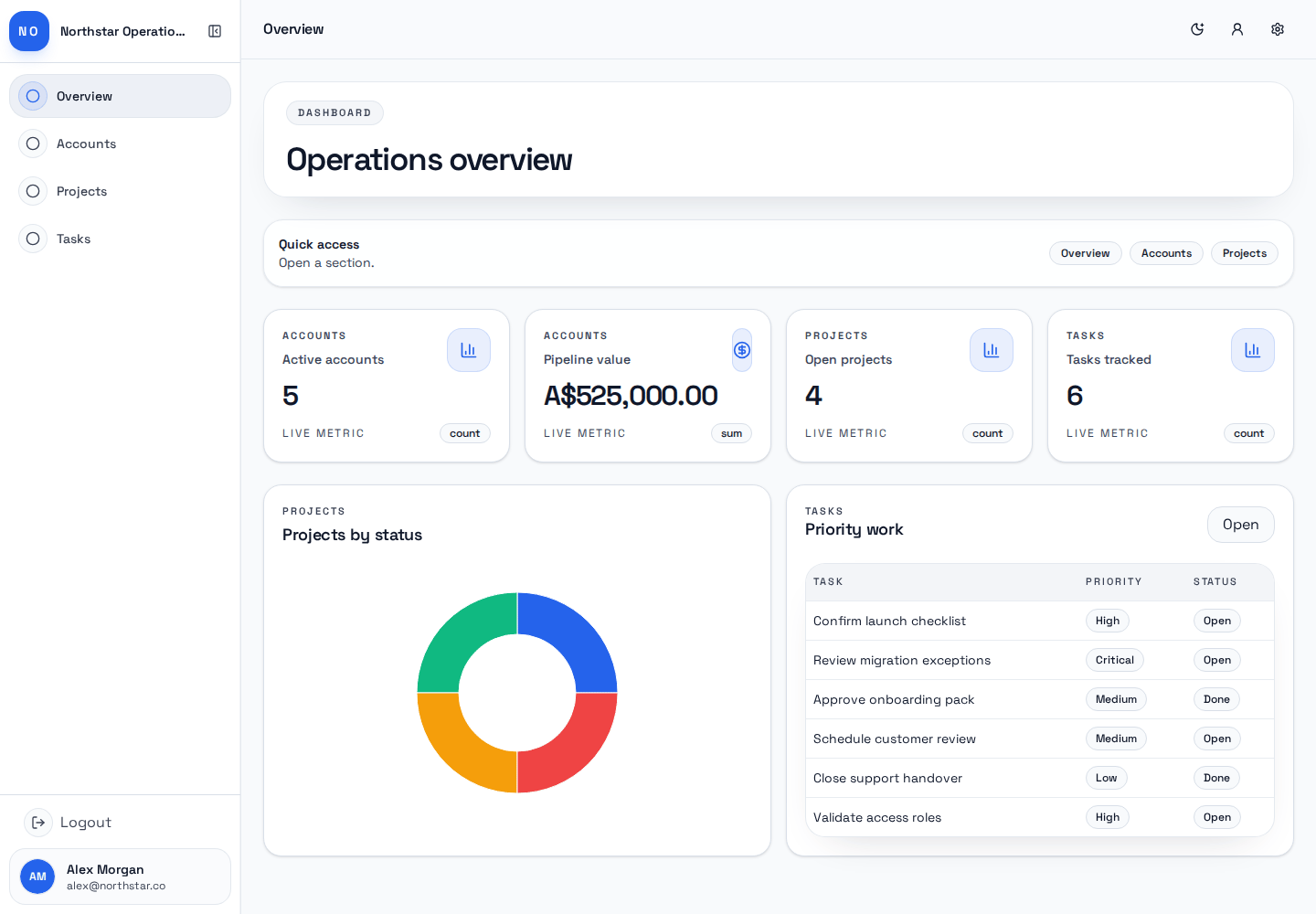
The conventional daily-work interface for a Blazorly application.
Private betaCore capabilities
Each capability below is tied to a real product surface in the current Blazorly codebase.
Combine live summary metrics, charts, and focused record lists into a useful starting view.
Search and inspect records, create new work, edit fields, and follow configured relationships.
Use conditional visibility, required fields, validation, and set-value rules to keep everyday work consistent.
Show related records, child grids, reference lookups, and computed summaries where the model calls for them.
Enable comments, private notes, documents, and audit panels on the modules that need them.
Publish a coherent application shell with configured navigation, identity, and visual presentation.
How it works
Land on the dashboard or route that matches the user's role and task.
Use lists, summaries, and grouped views to understand the current state.
Create or edit data through configured forms, rules, and actions.
Review related records, notes, documents, and activity from the detail view.
Suitable use cases
Example patterns only. The exact setup depends on the workflow, product configuration, permissions, and beta availability.
Keep accounts, contacts, projects, renewals, and next actions in one structured workspace.
Track requests, owners, priorities, evidence, status changes, and resolution context.
Maintain relationship-rich records with assignment, history, due dates, and supporting documents.
The SaaS Client renders the application model published by Builder. It is strongest for structured records and repeatable work; it is not positioned as a general-purpose website builder or large-scale business-intelligence platform.
FAQ
Quick answers about what SaaS Client does, where it fits, and how private-beta access works.
The SaaS Client is the familiar, screen-based interface for a published Blazorly application: a branded workspace with dashboards, lists, forms, detail views, and related records. It renders the application model that Builder publishes, so teams do everyday operational work against configured schemas, rules, and views without touching code.
Builder plans, configures, and publishes the application; the SaaS Client is the conventional interface for working it through screens, while the Conversational Client is the conversational interface over the same published app. Blazorly Agent and Crew sit on the separate agent platform for building and supervising AI agents. One shorthand: Builder configures apps, the Clients run them.
The SaaS Client renders the application model published by Builder, so it is built for structured records and repeatable operational work — not a general-purpose website builder or a large-scale business-intelligence platform. It also does not create or change the application itself; configuration and change control live in Builder.
Blazorly is in private invitation beta, so there is no public signup, free tier, or trial. Request access, describe the operational work you want to move into a Blazorly application, and access is arranged directly if there is a fit. There is no public pricing during the beta; terms are discussed as part of the access conversation.
Configuration. The SaaS Client renders the application configuration that Builder publishes to Blazorly's shared runtime, so teams work against an inspectable operational model with no generated codebase, terminal, or deployment pipeline to manage.
Private invitation beta
Tell us whether you need an operational application, a focused AI agent, or a supervised Crew around a product.